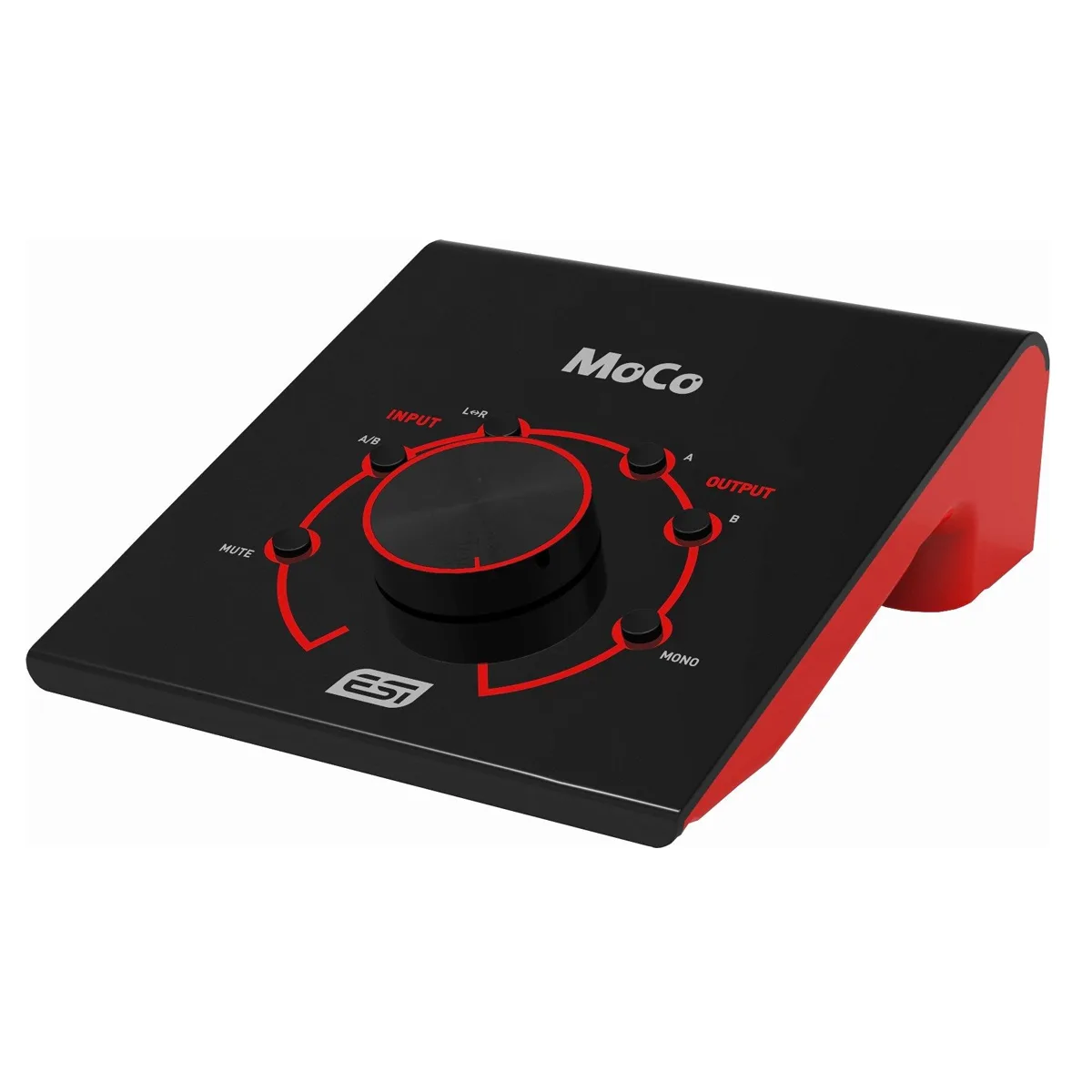
ESI MoCo Monitor Controller
SKU: ESIA_MOCO
AUD RRP $139.95 Inc GST*
Ask your local dealer for more information
Find a dealerPassive Monitor Controller with 2 stereo I/O
Categories


MoCo is a fully passive monitor controller that helps you to provide perfect control over the playback volume of your studio monitors.
"Fully passive" means that there are no active components involved, that could in any way alter the audio signal - keeping the maximum sound quality level for your studio monitors. MoCo provides two separate stereo inputs (one with balanced 1/4" TRS connectors, one with both unbalanced RCA and unbalanced 1/8" TRS connectors) and two separate stereo outputs (one with balanced XLR connectors, one with balanced / unbalanced 1/4" TRS plus unbalanced 1/8" TRS connectors). MoCo does not change your signals from unbalanced to balanced: what goes in, goes out!
Via one switch you can select the input signal and with separate buttons, each output can be enabled. Also there is a switch that changes the monitor signal to mono and you can mute the playback audio signal quickly at the touch of a button. A quick swap of the left and right audio signal channels is also possible. And of course, the stylish big knob in the center of MoCo controls the actual playback volume.

Features
2x mono balanced 1/4" TRS input (input A)
2x mono unbalanced RCA input (input B)
1x stereo unbalanced 1/8" mini jack input (input B)
2x mono balanced XLR output (output A)
2x mono balanced / unbalanced 1/4" TRS output (output B)
1x stereo unbalanced 1/8" mini jack output (output B)
selected high quality potentiometer for passive volume control
A/B input selection switch
L/R switch to swap left & right audio channels
independent A and B buttons to enable and disable the outputs
mono downmix button (mixes left to right channel and right to left channel)
mute button to mute output signal instantly
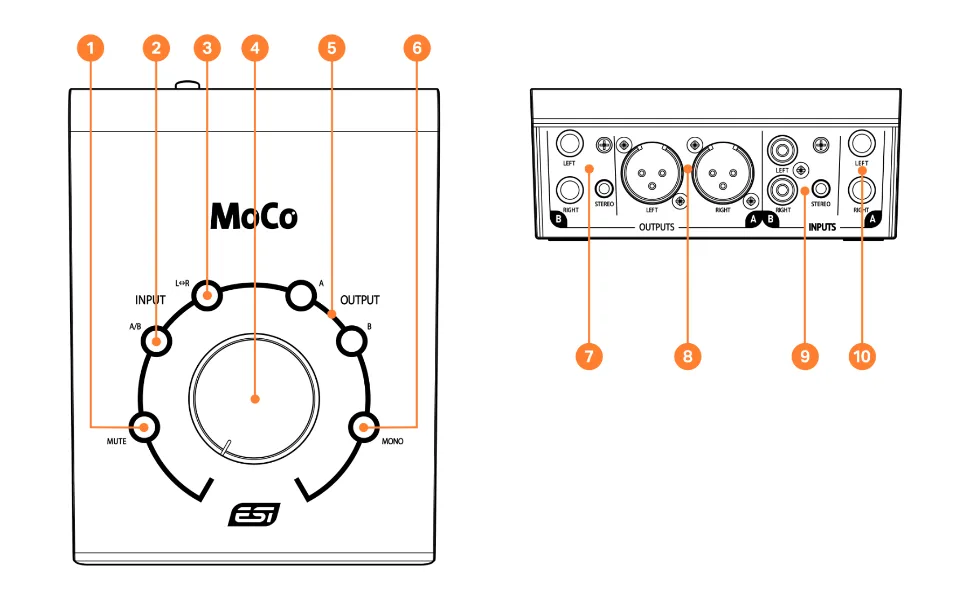
1: Mute Button allows you to mute the signal to have silence.
2: A/B Button allows you to select the audio signal source.
3: L/R Button provides the option to swap the left and right audio channel.
4: VOLUME knob controls the output volume.
5: OUTPUT section provides the possibility to select which outputs are currently active via the A and B buttons.
6: MONO creates a down mix where the left and right audio signal are each played via both audio output channels.
7: Output B is available both with balanced /unbalanced TRS connectors (left / right) and with a stereo mini-jack connector
8: Output A is provided with balanced XLR connectors.
9: Input B is provided with stereo RCA connectors as well as stereo mini-jack connection.
10: Input A provides a pair of balanced TRS inputs (left / right).
* All pricing and stock availability are subject to change at any time without notice